


Guide ultime des accessoires Starlink Gen 3 : Solutions optimisées pour les utilisateurs à domicile, en camping-car et en milieu marin (édition 2025)
Starlink Gen 3 a redéfini l'internet par satellite avec des vitesses plus rapides, un matériel amélioré et une fiabilité accrue.
Bien que le kit prêt à l'emploi permette une connexion instantanée, atteindre des performances de premier ordre dépend de l'utilisation des bons accessoires adaptés à votre environnement d'installation.
Ce guide vous aide à sélectionner les accessoires idéaux pour Starlink Gen 3 pour les installations à domicile, en camping-car et maritimes, garantissant une compatibilité, une protection et une efficacité optimales.
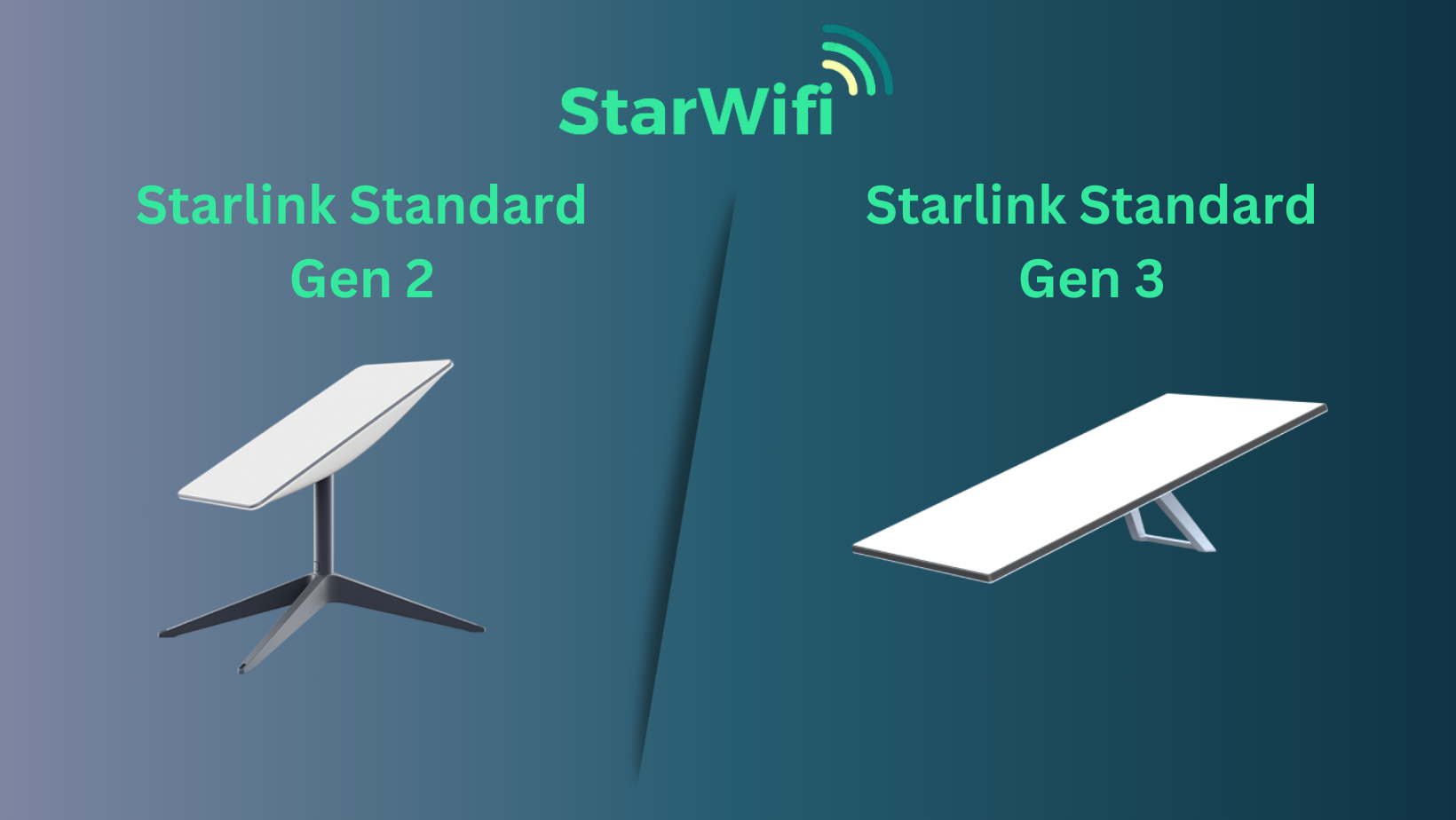
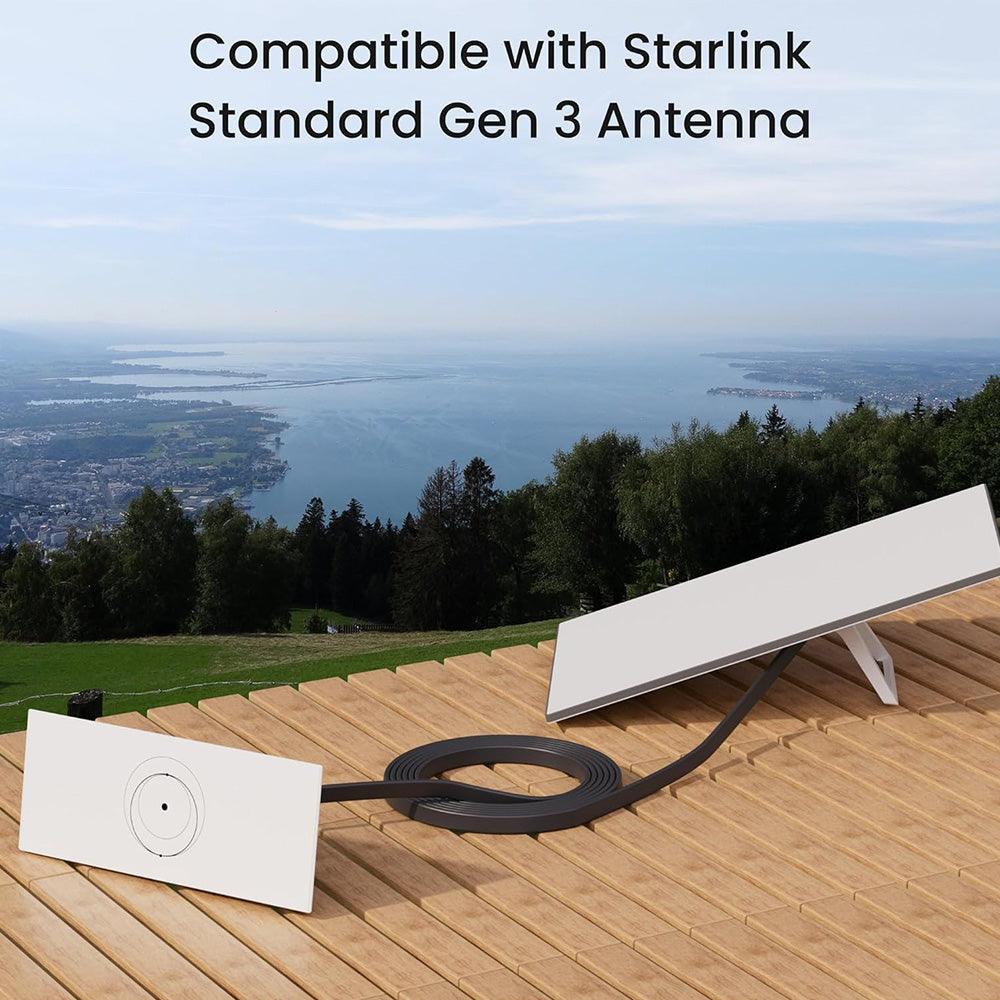
⚠️ Remarque importante sur la compatibilité
Les accessoires Starlink Gen 3 et Gen 2 ne sont pas interchangeables.
Les câbles, supports et adaptateurs secteur des générations précédentes ne s'adapteront pas ou ne fonctionneront pas correctement avec Gen 3.
Veillez toujours à ce que les accessoires soient explicitement étiquetés "pour Starlink Gen 3."
Comprendre Starlink Gen 3 : Qu'est-ce qui change en 2025
Contrairement à Gen 2, Starlink Gen 3 dispose d'une antenne à position fixe.
Elle ne s'ajuste plus automatiquement ; vous devez plutôt utiliser l'application Starlink pour trouver la meilleure zone de signal avant l'installation.
Améliorations clés
- Vitesses plus rapides et latence réduite dans toutes les zones de couverture
- Conception plate et légère pour un montage plus facile
- Durabilité accrue face aux intempéries et gestion thermique améliorée
- Port Ethernet intégré pour une connexion filaire directe
- Capture de signal optimisée avec orientation manuelle
Ces améliorations rendent Gen 3 idéal pour une utilisation stationnaire, mobile et maritime lorsqu'il est correctement configuré.
Ce qui est inclus dans la boîte
Le kit Starlink Gen 3 comprend généralement :
- Antenne fixe Gen 3 ("Dishy")
- Routeur Wi-Fi avec support Ethernet
- Support de base standard pour installations intérieures ou temporaires
- Adaptateur secteur AC
- Câble Ethernet
- Guide de démarrage rapide
Avant l'installation, utilisez la fonction "Obstruction Finder" de l'application Starlink pour garantir une vue dégagée du ciel.
Accessoires essentiels pour de meilleures performances
1. Options de montage
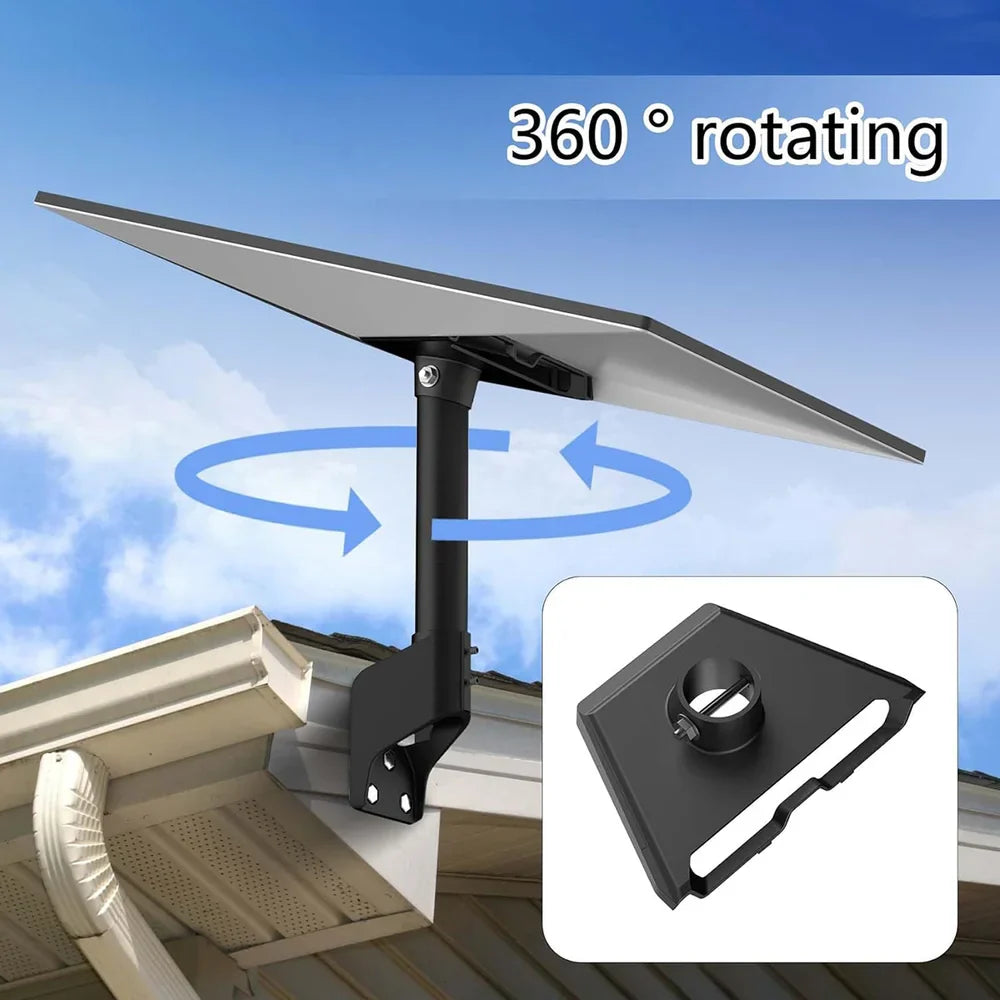
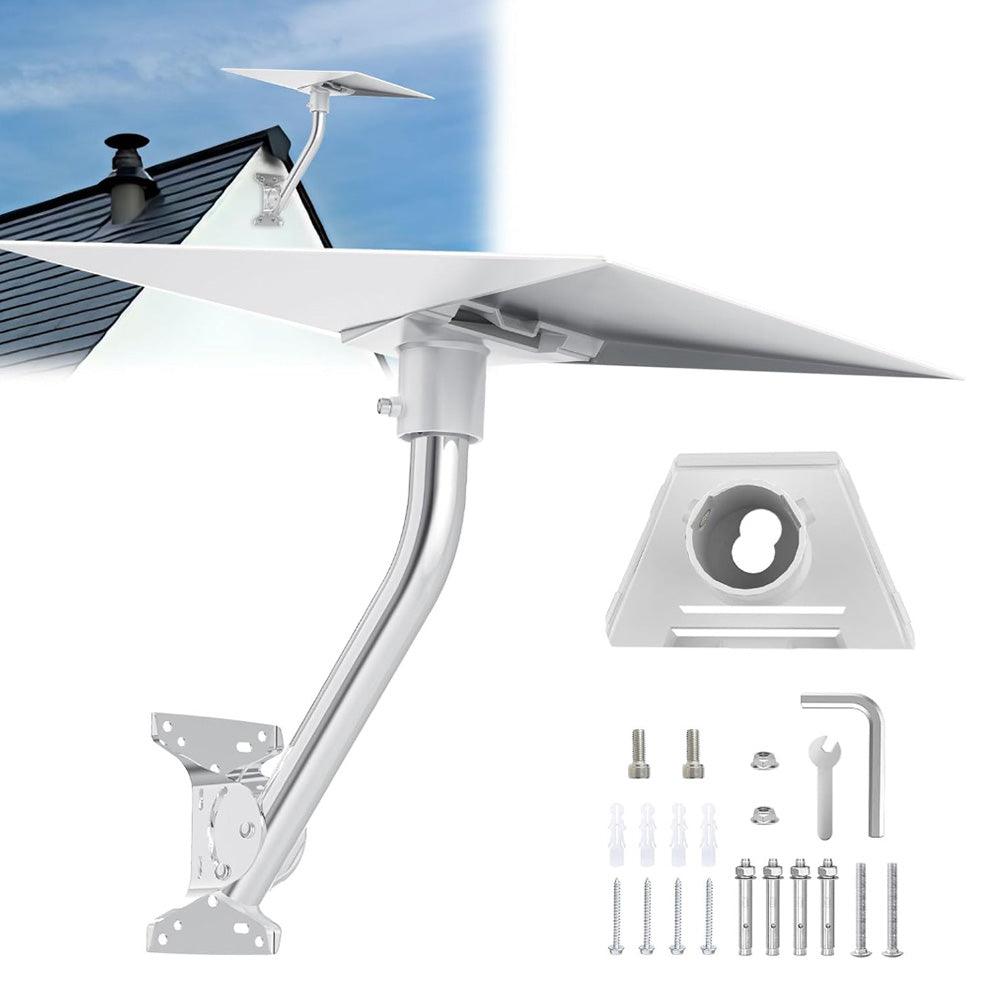
Choisir le bon support garantit la stabilité du signal et la protection contre les conditions météorologiques.
- Supports de toit: Installation permanente pour les maisons.
- Supports muraux: Gain de place et robustesse pour balcons ou murs extérieurs.
- Supports trépied: Idéal pour les camping-cars, le camping et les installations portables.
- Supports de poteau: Élevez votre antenne au-dessus des arbres ou des structures.
Astuce Pro : Positionnez toujours votre antenne là où l'application indique le score d'obstruction le plus bas.
2. Accessoires de câbles et Ethernet
Gardez vos connexions propres et stables :
- Câbles d'extension plats (20–50m): Augmentez la distance sans affecter les performances.
- Hubs Ethernet haute vitesse: Supportent plusieurs appareils filaires pour bureaux ou maisons.
- Passe-câbles muraux: Protègent les câbles entrant dans le mur de l'eau ou des insectes.
Remarque : Les connecteurs Gen 3 diffèrent par leur forme et leur tension, donc les anciens câbles ne s'adapteront pas.
3. Accessoires d'alimentation et de conversion
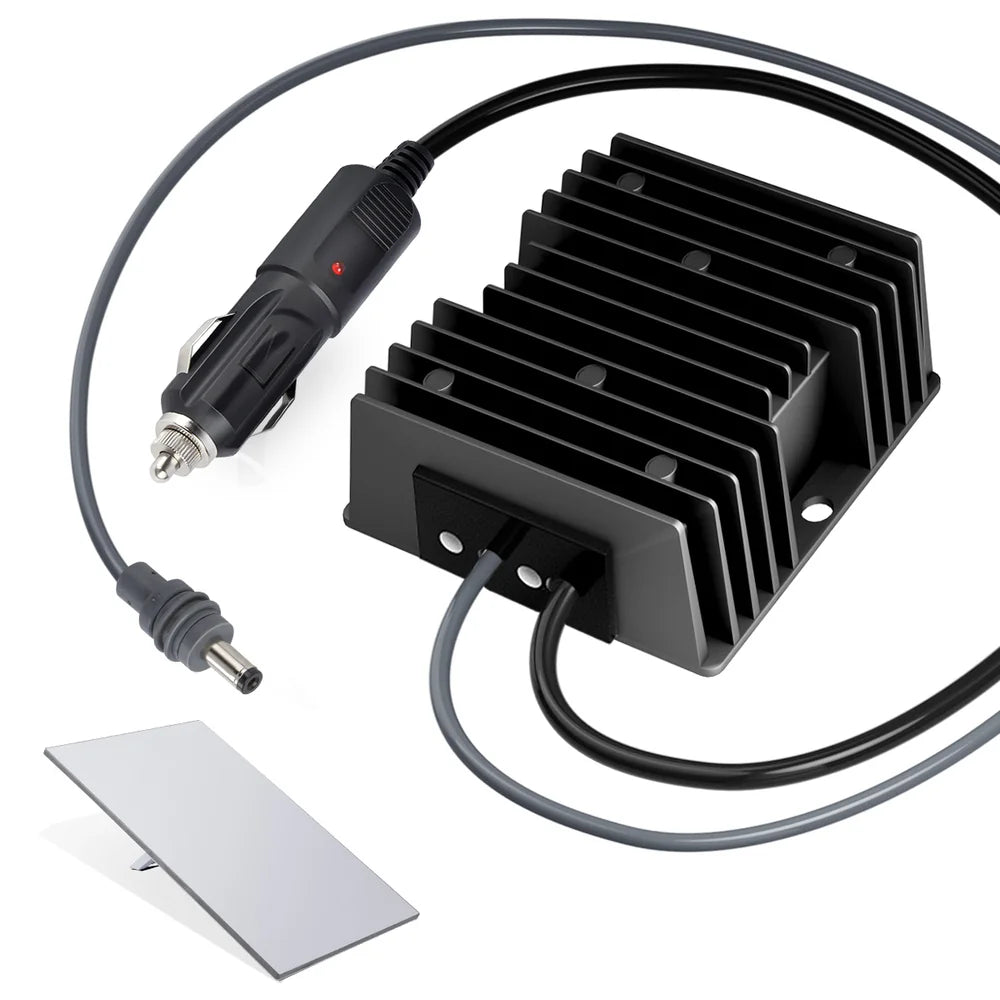
Une alimentation fiable est essentielle pour une connectivité ininterrompue.
- Convertisseurs de voiture 12V/24V à 57V : Alimentez Starlink à partir des batteries de véhicule.
- Adaptateurs de remplacement AC de 195W: Alimentation stable pour installations stationnaires.
- Alimentations DC: Recommandées pour les installations solaires et hors réseau.
4. Étui de protection
Un étui de protection Starlink Gen 3 garde votre antenne, votre routeur et vos câbles en sécurité pendant le transport.
Il protège contre les chocs, la poussière et l'humidité — crucial pour les utilisateurs de camping-cars, de vanlife ou maritimes.
En savoir plus dans notre guide dédié aux étuis Starlink.
🏠 Installation à domicile : Installation permanente et sécurisée
Pour les installations fixes, la stabilité et l'étanchéité sont des priorités.
Étapes :
- Choisissez un support de toit ou mural avec un revêtement anti-rouille.
- Routage propre des câbles à l'aide de passe-câbles muraux.
- Connectez le routeur directement via Ethernet pour de meilleures performances.
- Scellez tous les connecteurs extérieurs pour éviter l'intrusion d'humidité.
Accessoires recommandés : Support de toit ajustable, Kit de passe-câbles muraux, Hub Ethernet 4 ports.
🚐 Installation en camping-car : Internet fiable en déplacement
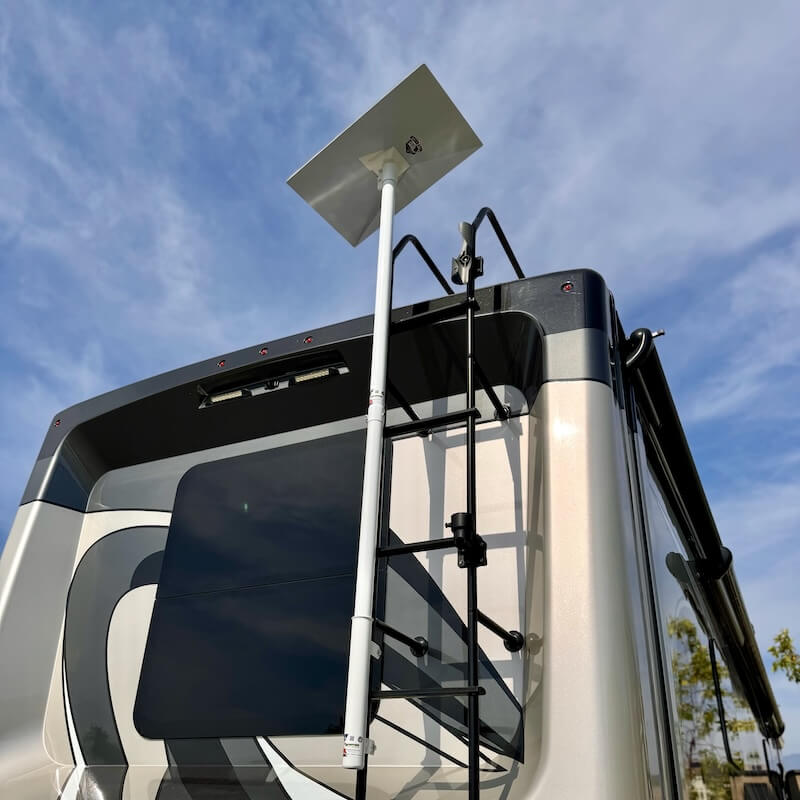
Starlink Gen 3 est idéal pour les voyageurs en camping-car ayant besoin d'un internet haut débit partout.
Étapes :
- Utilisez un trépied pliable ou un support ajustable portable.
- Alimentez via un adaptateur de voiture 12V/24V ou un onduleur.
- Rangez votre système dans un étui de protection lorsqu'il n'est pas utilisé.
- Vérifiez la force du signal à l'aide de l'application avant de l'ancrer.
Accessoires recommandés : Convertisseur de puissance de voiture 12V, Support portable, Étui de protection.
⛵ Installation maritime : Connectivité en mer

Pour les bateaux et les yachts, la résistance à la corrosion et l'étanchéité des câbles sont essentielles.
Étapes :
- Montez avec un système de pont ou de poteau en acier inoxydable.
- Gardez l'adaptateur d'alimentation au-dessus du pont dans un compartiment sec.
- Utilisez des connecteurs étanches de qualité marine.
- Rincez le matériel périodiquement pour enlever les dépôts de sel.
Accessoires recommandés : Support de pont en acier inoxydable, Kit de câbles étanches, Adaptateur d'alimentation de 150W.
🛠️ Guide d'installation et d'entretien
Aperçu de l'installation
- Utilisez l'application Starlink pour trouver la direction optimale.
- Assemblez le support et fixez l'antenne en place.
- Connectez les câbles d'alimentation et Ethernet.
- Allumez le système et vérifiez l'alignement dans l'application.
Conseils d'entretien
- Nettoyez régulièrement vos antennes pour éviter l'accumulation de poussière ou de neige.
- Inspectez les câbles pour détecter l'usure ou l'exposition.
- Redémarrez votre routeur après des mises à jour ou si la vitesse diminue.
Dépannage des problèmes courants
| Problème | Cause | Solution |
|---|---|---|
| Pas de signal | Ligne de vue bloquée | Repositionnez à l'aide de l'application Starlink |
| Pas d'alimentation | Adaptateur ou câble défectueux | Testez ou remplacez l'alimentation |
| Vitesse faible | Congestion du réseau | Redémarrez, mettez à jour le firmware ou changez d'orientation |
🛒 Accessoires recommandés (disponibles en magasin)
| Produit | Objectif |
|---|---|
| Support de toit ajustable | Installation permanente à domicile |
| Kit de passe-câbles muraux | Routage de câbles intérieur soigné |
| Convertisseur de voiture 12V | Alimentation fiable pour camping-car |
| Hub Ethernet haute vitesse | Connectivité multi-appareils |
| Support de pont en acier inoxydable | Installation de qualité marine |
| Étui de protection | Stockage et transport en toute sécurité |
Conclusion
Starlink Gen 3 représente un bond significatif dans la technologie de l'internet par satellite — mais une installation et des accessoires appropriés font toute la différence.
Que vous installiez à domicile, voyagiez à travers le pays ou exploriez en mer, la bonne combinaison de supports, de câbles et d'options d'alimentation maintiendra votre signal fort et fiable.
Découvrez notre gamme complète d'accessoires Starlink Gen 3 pour créer votre installation idéale dès aujourd'hui.